Keychron K2
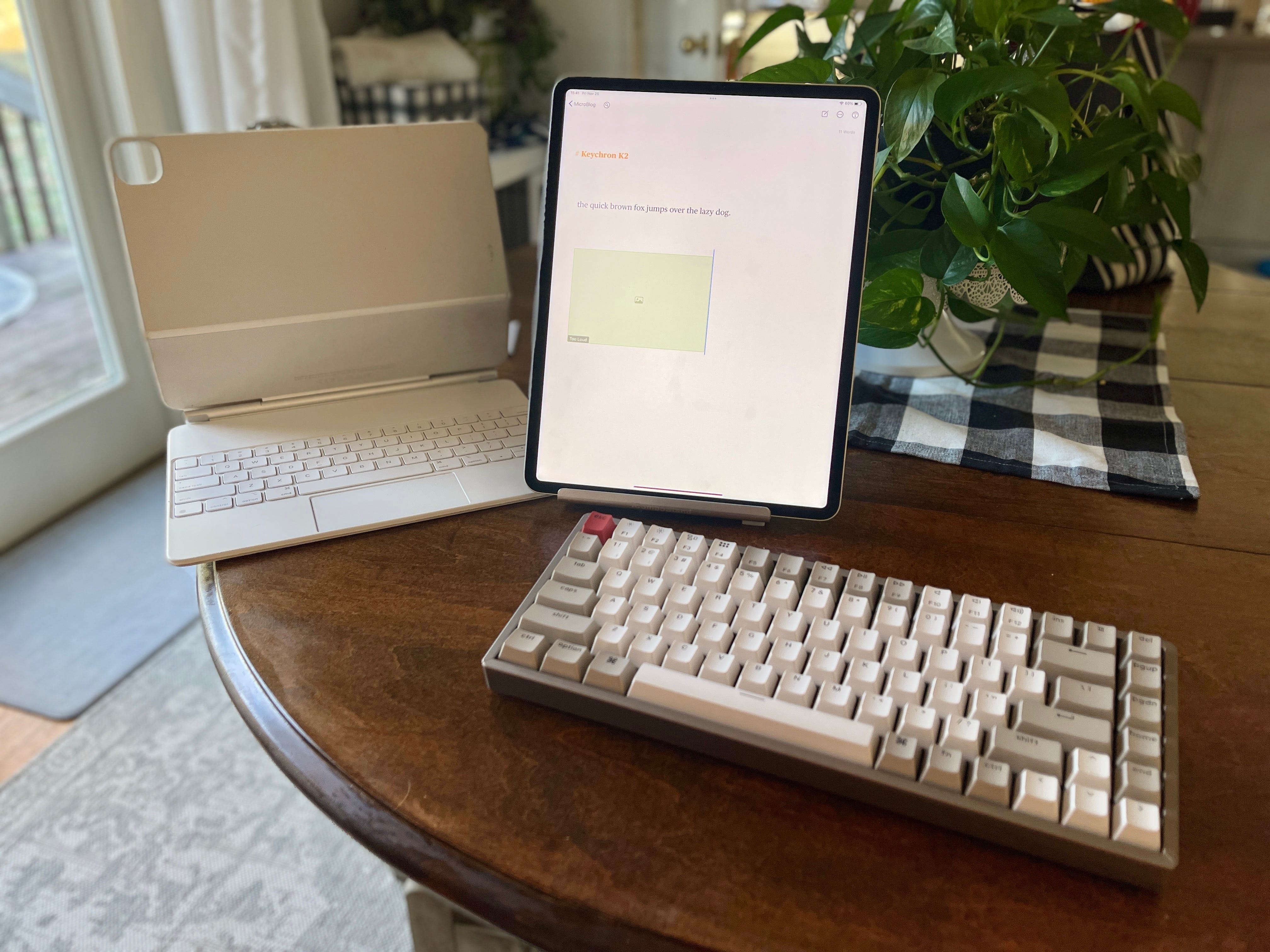
Having broken my beloved Varmilo VA108M (which I absolutely intend to fix one day in the near future, FYI,) months ago and just last week completely totaled the period (.) key on my Absurdly Overpriced Toilet Professional iPad Keyboarding Apparatus, I decided to buy an on-sale variant of Keychron's K2 with the loudest switches (the blue ones) available, assuming that surely no keyboard could be truly, disruptively loud.
I was very wrong.
I do love that one can connect it via USB-C (not that it makes sense in any situation I can imagine) and that there's a dedicated screenshot key!
I do believe I have broken the period (.) key on the iPad Professional's Absurdly Priced Keyboard Attachment Gizmo. $400 down the d.d.drain!
— ? ? ? ? ? (@NeoYokel) November 18, 2022
Hot Swap
Function Keys
| Keys | Function |
|---|---|
fn + - |
RGB Speed Decrease |
fn + = |
RGB Speed Increase |
fn + 1 |
Select Bluetooth device #1 |
fn + 2 |
Select Bluetooth device #2 |
fn + 3 |
Select Bluetooth device #3 |
fn + 1 (long press for 3s) |
Pair with Bluetooth device #1 |
fn + 2 (long press for 3s) |
Pair with Bluetooth device #2 |
fn + 3 (long press for 3s) |
Pair with Bluetooth device #3 |
fn + Light Effect Key |
Turn On / Off the Backlight |
fn + Right Arrow |
Change The Backlight Color |
fn + Left Arrow |
Change The Backlight Color |
fn + del |
Insert |
fn + F1 (Mac mode) |
F1 |
fn + F2 (Mac mode) |
F2 |
fn + F3 (Mac mode) |
F3 |
fn + F4 (Mac mode) |
F4 |
fn + F5 (Mac mode) |
F5 |
fn + F6 (Mac mode) |
F6 |
fn + F7 (Mac mode) |
F7 |
fn + F8 (Mac mode) |
F8 |
fn + F9 (Mac mode) |
F9 |
fn + F10 (Mac mode) |
F10 |
fn + F11 (Mac mode) |
F11 |
fn + F12 (Mac mode) |
F12 |
fn + F1 (Windows mode) |
Screen Brightness Down |
fn + F2 (Windows mode) |
Screen Brightness Up |
fn + F3 (Windows mode) |
Launches Mission Control |
fn + F4 (Windows mode) |
Launchpad |
fn + F5 (Windows mode) |
Keyboard Backlight Down |
fn + F6 (Windows mode) |
Keyboard Backlight Up |
fn + F7 (Windows mode) |
Rewind |
fn + F8 (Windows mode) |
Play / Pause |
fn + F9 (Windows mode) |
Fast Forward |
fn + F10 (Windows mode) |
Sound: Volume Mute |
fn + F11 (Windows mode) |
Sound: Volume Down |
fn + F12 (Windows mode) |
Sound: Volume Up |
fn + Win (Windows mode, long press for 3s) |
Lock / Unlock the Win Key |
Other Key Combinations
| Keys | Function |
|---|---|
fn + B |
Check Battery Level |
fn+ L + Light Effect Key (long press for 3s) |
Lock / Unlock the Backlight Effect |
fn + S + O (Bluetooth mode, long press for 3s) |
Disable / Enable the Auto Sleep Mode |
fn + S + L + R (Bluetooth mode, long press for 3s) |
Auto Sleep in 10 Minutes Without Typing |
fn + S + L + T (Bluetooth mode, long press for 3s) |
Auto Sleep in 20 Minutes Without Typing |
fn + S + L + Y (Bluetooth mode, long press for 3s) |
Auto Sleep in 30 Minutes Without Typing |
fn + J + Z (long press for 3s) |
Reset the Keyboard |
fn + X + L (Windows mode, long press for 3s) |
Switch Between Function Keys and Multimedia keys (F1-F12) |
fn + K + C (Mac mode, long press for 3s) |
Switch Between Function Keys and Multimedia Keys (Only works for F5 and F6) |
fn + I + D (long press for 3s) |
Switch Between the Delete Key and the Insert Key |